0.2.1.1
Bookmarks Backuper browser extension version 0.2.1.1: technical characteristics and video overview.
Technical characteristics
Features and technical information about the version.
- Status
- Discontinued
- Functions
- One-way sync of browser bookmarks to user's Google Drive
- One-way sync of browser bookmarks to user's Dropbox
- Preview of browser bookmarks temporary local backup
- Instructions for use
- Download instructions for use (HTML file, 6.29 KB)
- Date
- February 8, 2026
- Release notes
- Added support for user preference media features
- Manifest version
- 3
Video overview
Video overview demonstrating functionality of the Bookmarks Backuper extension version.
- Video description
- Screen recording of the Bookmarks Backuper browser extension version 0.2.1.1 installation, preparation and backup creation processes running on Windows 11 OS (operating system) personalized to dark mode with Chrome browser. Sample bookmarks are being used for demonstration, keyboard is being used for navigation.
- Video
- Download transcript (TXT file, 1.75 KB)
- Download closed captions (WebVTT file, 2.66 KB)
- Watch on YouTube (1:21, closed captions (CC) available)
- Watch on Vimeo (1:20, CC)
- Video chapters
- 0:00 Installation of the Bookmarks Backuper browser extension (YouTube chapter 1, Vimeo chapter 1)
- 0:17 Pinning of the Bookmarks Backuper browser extension to the browser toolbar (YouTube chapter 2, Vimeo chapter 2)
- 0:25 One-way sync of bookmarks to your Google Drive with the Bookmarks Backuper browser extension (YouTube chapter 3, Vimeo chapter 3)
- 0:51 One-way sync of bookmarks to your Dropbox with the Bookmarks Backuper browser extension (YouTube chapter 4, Vimeo chapter 4)
- Video screenshots
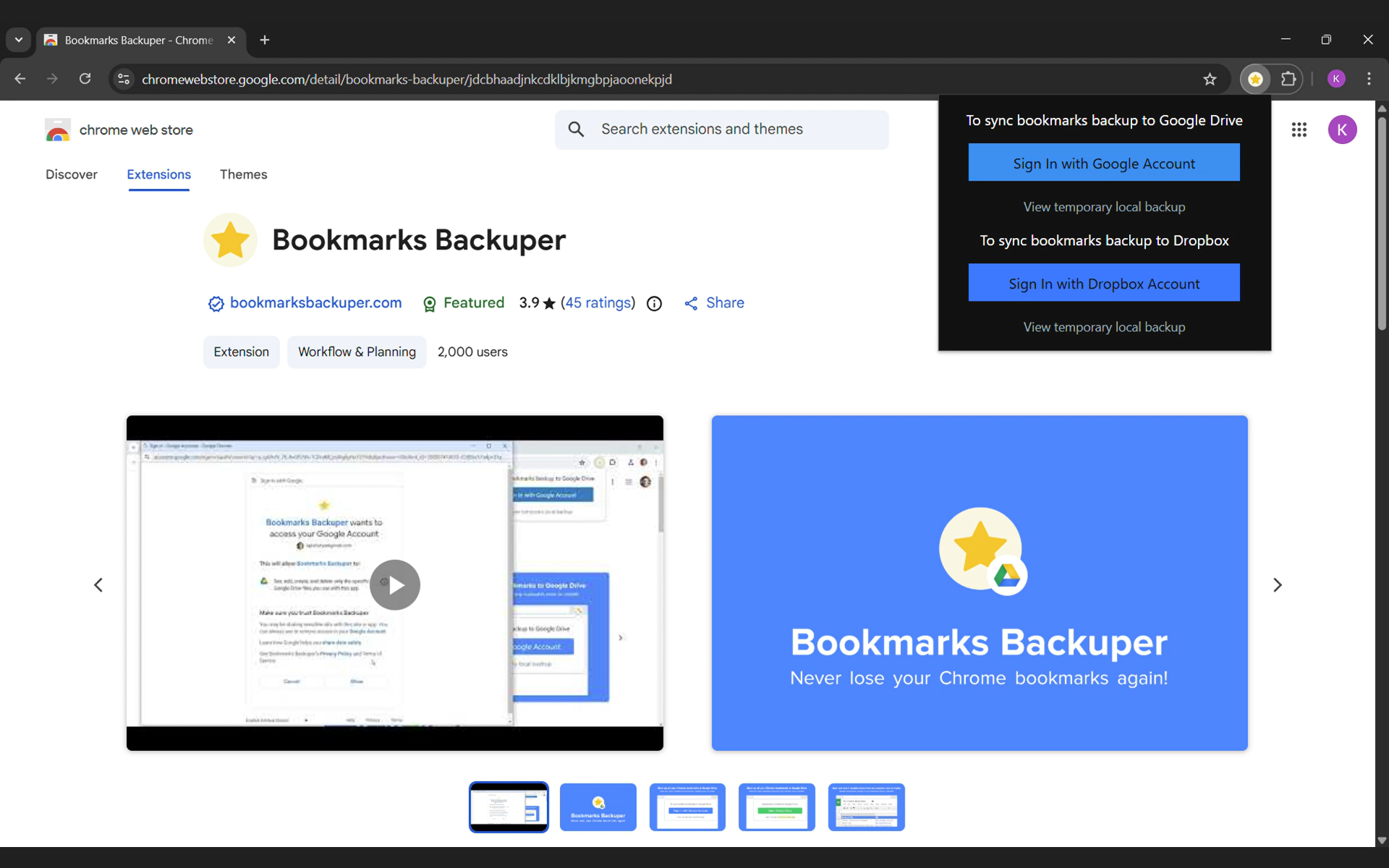
- Download screenshot 1 (PNG file, 677 KB). Chrome browser window with the Bookmarks Backuper popup opened in an initial state. Screenshot from the video at 0:24.
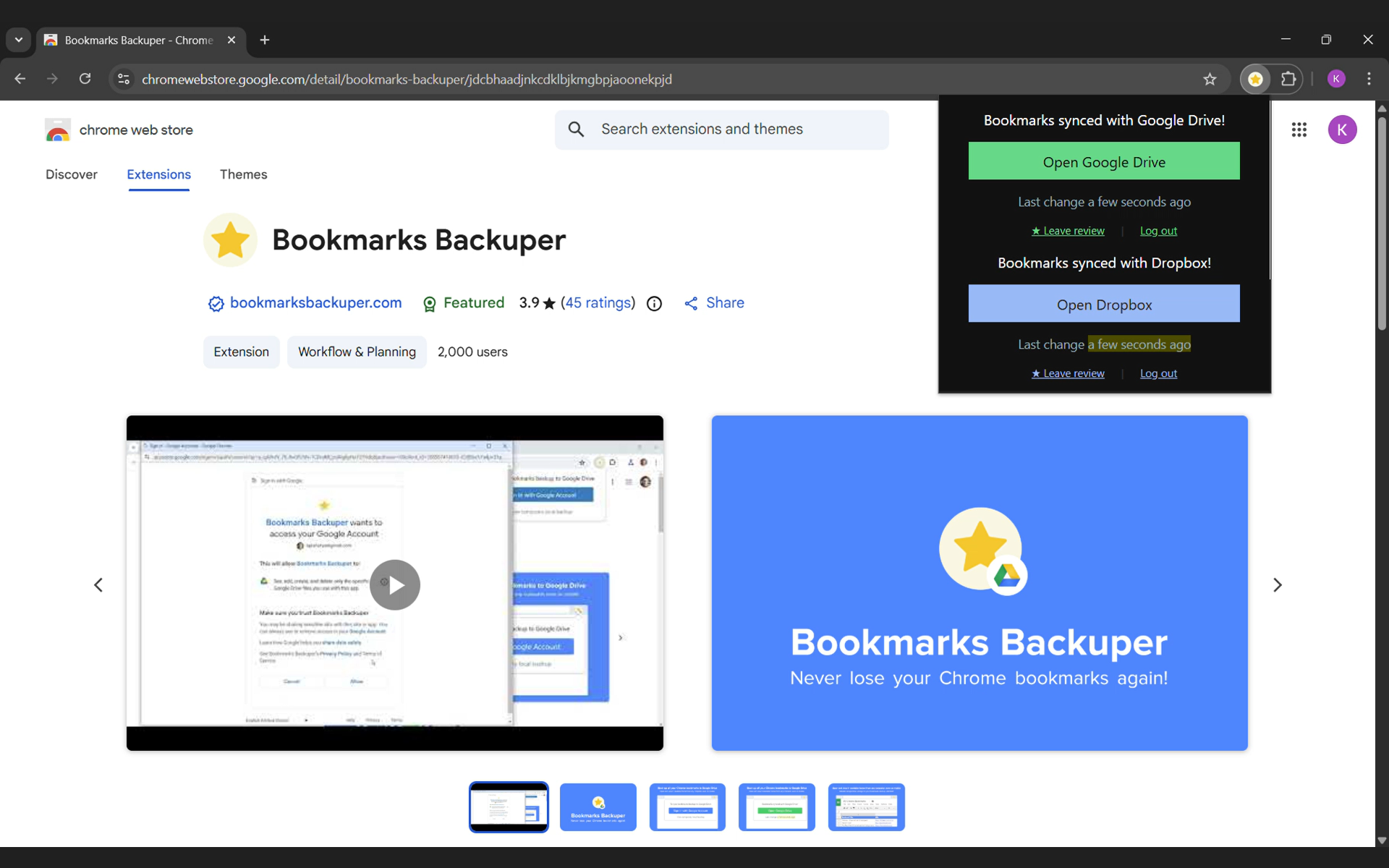
- Download screenshot 2 (PNG file, 658 KB). Chrome browser window with the Bookmarks Backuper popup opened with bookmarks sync completed to Google Drive and Dropbox. Screenshot from the video at 1:12.
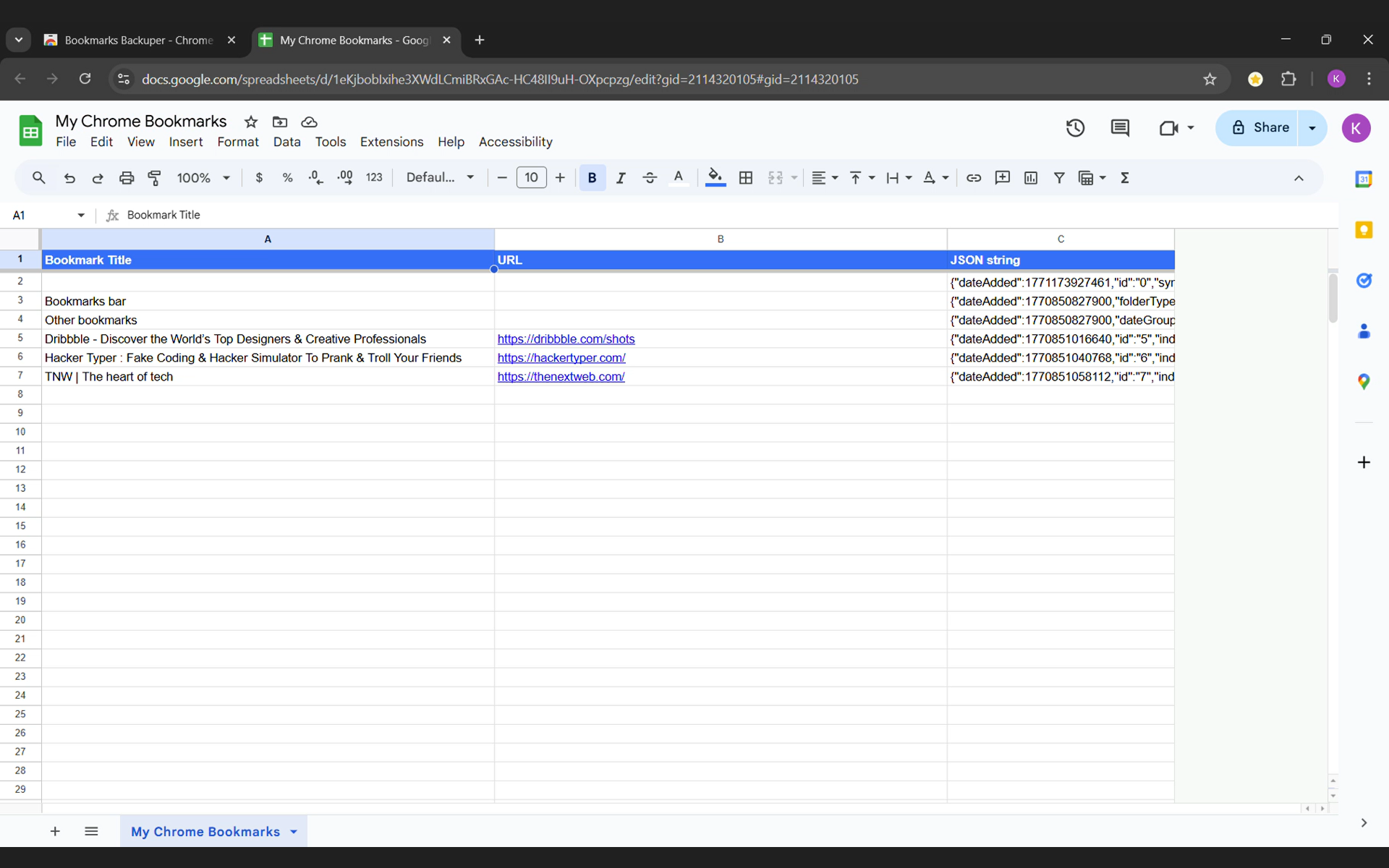
- Download screenshot 3 (PNG file, 527 KB). Chrome browser window with the Google Sheets spreadsheet tab opened and focused on "Bookmark Title" cell. Screenshot from the video at 0:47.
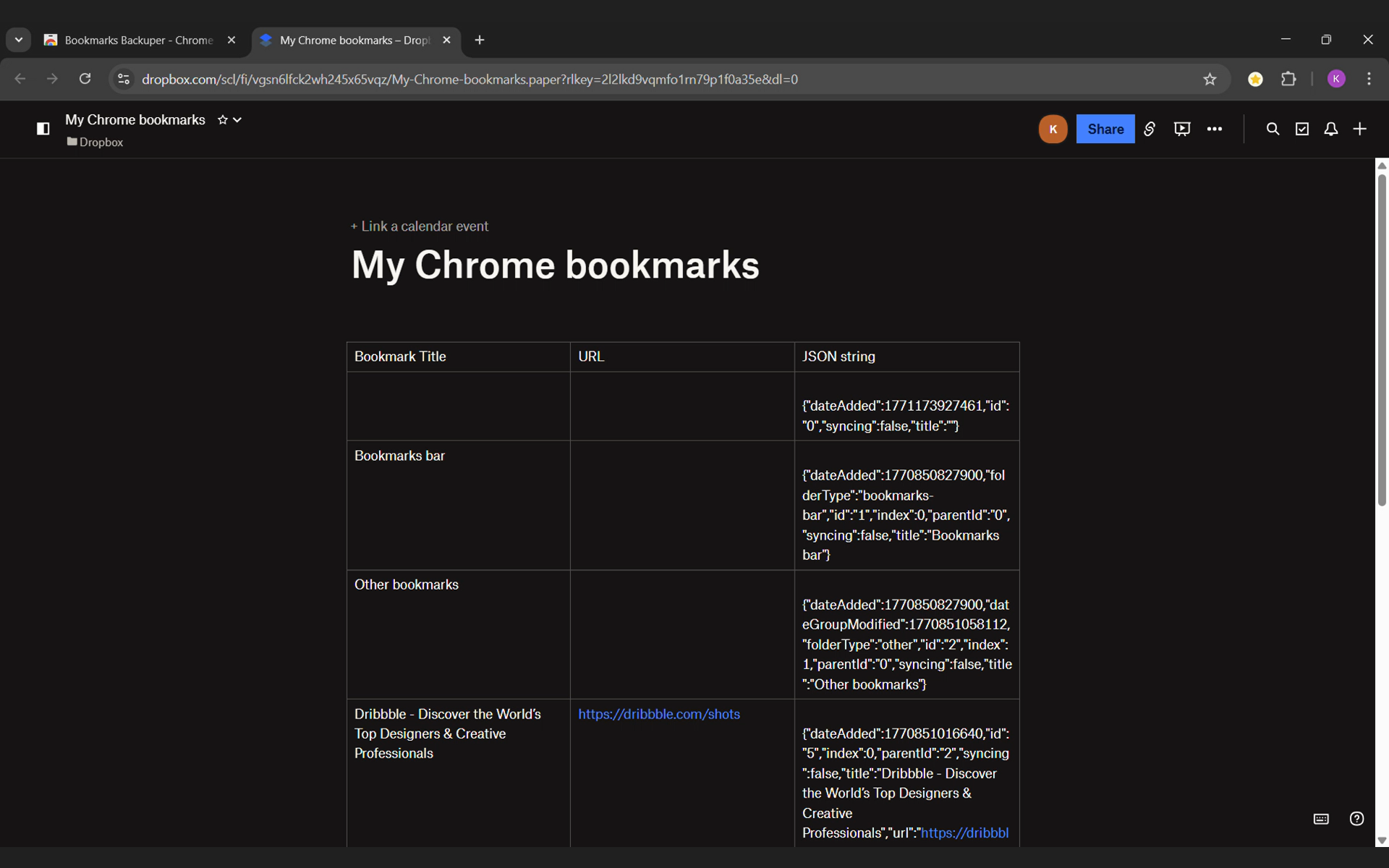
- Download screenshot 4 (PNG file, 561 KB). Chrome browser window with the Dropbox Paper document tab opened. Screenshot from the video at 1:19.